
How to Recycle Batteries and Old Electronics Safely
Why batteries must stay out of the bin, how to tape and store them, where to drop off e-waste, and how to wipe your data before you let a device go.
On this page
Old phones, dead batteries, broken chargers and forgotten gadgets pile up in drawers in almost every home. They should not go in the household trash or the recycling bin. Electronics contain valuable materials such as copper, gold, silver, cobalt and rare earth elements, and also hazardous ones such as lead, mercury and flame retardants. Batteries, in particular, can start fires when they are crushed.
Handled correctly, a large share of these materials can be recovered. This guide explains how to do that safely.
Why batteries are a fire risk
Lithium-ion batteries power phones, laptops, tablets, e-cigarettes, power tools, toothbrushes and wireless earbuds. When one is crushed or punctured in a garbage truck or a sorting facility, it can short-circuit, overheat and ignite. Waste and recycling facilities around the world report a rising number of fires linked to batteries thrown in the wrong bin.
Even "dead" batteries usually hold some charge. That is why they need their own route out of the house.
Types of batteries and what to do with each
| Battery type | Common uses | What to do |
|---|---|---|
| Alkaline (AA, AAA, C, D, 9V) | Remotes, clocks, toys | Drop-off recycling where available; tape 9V terminals |
| Lithium-ion (rechargeable) | Phones, laptops, tools, e-bikes | Drop-off only; tape terminals; never in any bin |
| Lithium primary (non-rechargeable) | Cameras, smoke alarms | Drop-off only; tape terminals |
| Button and coin cells | Watches, car keys, hearing aids | Drop-off only; tape both sides; keep away from children |
| Nickel-metal hydride (NiMH) | Rechargeable AAs, older devices | Drop-off recycling |
| Lead-acid | Cars, motorbikes, backup power | Return to a garage, retailer or scrap dealer |
Rules about alkaline batteries vary. In some places they are allowed in household trash, in others they must be recycled. Recycling them is always the better option when a drop-off point exists.
Button and coin cells are very dangerous if swallowed by children or pets, and can cause severe internal burns within hours. Store them out of reach and dispose of them promptly.
How to store batteries until drop-off
- Keep a small cardboard box or a lidded plastic container in a cool, dry place, away from anything flammable.
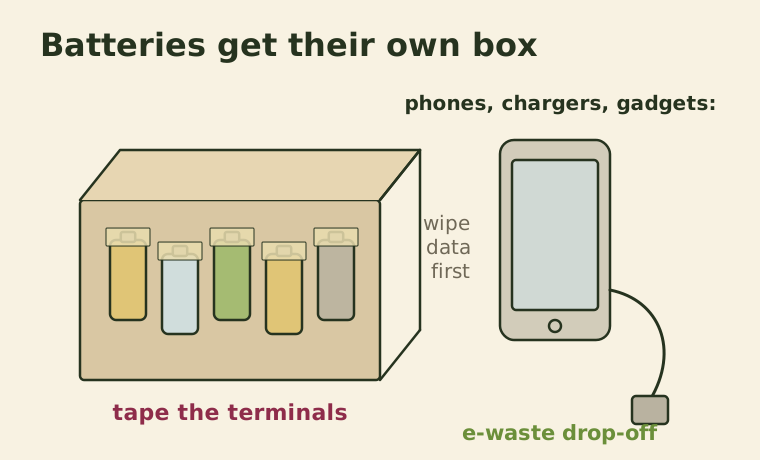
- Put a piece of clear tape over the terminals of every lithium battery, 9V battery and button cell. This prevents them touching and short-circuiting.
- Alternatively, put each battery in its own small plastic bag.
- Do not store damaged, swollen or leaking batteries with the others. Place them in a separate container with sand or cat litter, and take them to a drop-off point as soon as possible.
- Take the box in every few months, before it gets full.
Where to take batteries and electronics
Options vary by country and region, but most areas have several of these:
- Retailers: Many electronics shops, supermarkets and hardware stores have battery collection bins. In some countries, shops that sell electronics are legally required to take back old devices.
- Municipal recycling centers: Local waste facilities usually accept e-waste and batteries, often for free.
- Manufacturer take-back programs: Many phone, computer and printer brands accept old devices by mail or in store, sometimes with a trade-in credit.
- Collection events: Some towns run occasional e-waste collection days.
- Certified e-waste recyclers: Look for recyclers certified under recognized standards in your country. Certification means materials are handled responsibly rather than shipped abroad and dismantled unsafely.
Search your municipality's website for "e-waste" or "battery recycling" to find the nearest option.
Before you hand over a phone or computer: protect your data
Phones and computers hold a lot of personal information. Before recycling, selling or donating them:
- Back up anything you want to keep: photos, documents and contacts.
- Sign out of all accounts, including cloud, email, app store and messaging accounts, and remove the device from any "find my device" service. Some phones stay locked to your account otherwise.
- Remove the SIM card and any memory cards.
- Encrypt and factory reset the device. Modern phones are encrypted by default, so a factory reset makes the data effectively unreadable. For older computers, use the built-in reset or drive-erase tools.
- For drives that won't turn on, ask the recycler about secure data destruction, or remove the drive and keep it.
Reuse and repair before recycling
Recycling recovers materials, but it destroys the device, and making new electronics uses a lot of energy and raw materials. Extending the life of what you have is the bigger win.
- Repair: A new battery or screen often costs far less than a new phone. Repair cafés and independent repair shops can help.
- Donate: Working laptops, tablets and phones can go to schools, charities and community groups.
- Sell or trade in: Even older devices have resale value.
- Repurpose: An old phone can become a music player, a baby monitor, a dashcam or a dedicated recipe screen in the kitchen.
Cables, chargers and small gadgets
Cables and chargers are e-waste too. Keep the ones you actually use, label them, and recycle the rest at e-waste drop-off points. Do not put them in the regular recycling bin, where they tangle around machinery, as we explain in common recycling mistakes.
Small appliances such as toasters, kettles, hair dryers and electric toothbrushes also belong in e-waste collection, not the trash.
Clearing out the electronics drawer once a year, with a quick check for things to repair, donate or drop off, keeps hazardous items out of landfill and puts valuable materials back into use. And once you've cleared it, our energy saving guide has tips to make the devices you keep cost less to run.
Keep reading
-
 Water & Energy
How to Save Energy at Home: 15 Simple Steps Ranked by Impact
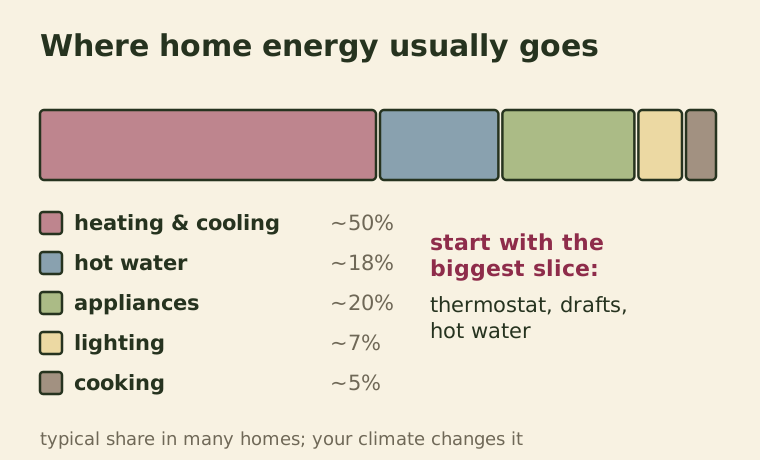
Where home energy actually goes, which changes save the most, and simple, low-cost steps for heating, cooling, hot water, lighting and appliances.
-
 Recycling
12 Common Recycling Mistakes That Send Good Material to Landfill
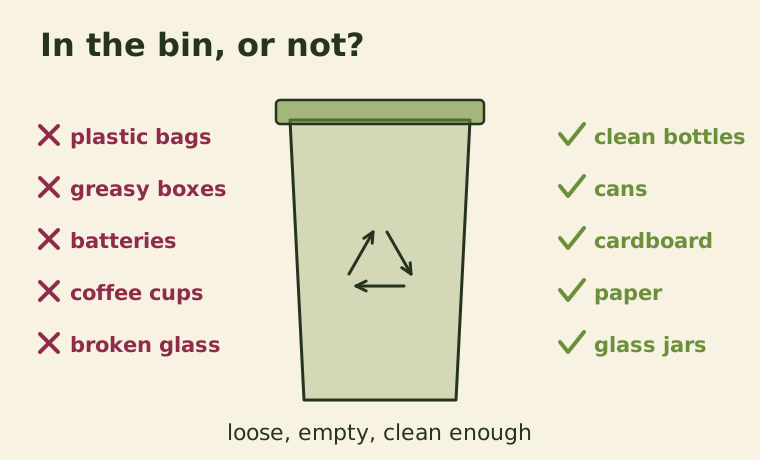
Wishcycling, bagged recyclables, greasy boxes and tiny items. The errors that contaminate recycling and how to fix each one.
-
 Recycling
Recycling Symbols Explained: What the Numbers 1 to 7 on Plastic Really Mean
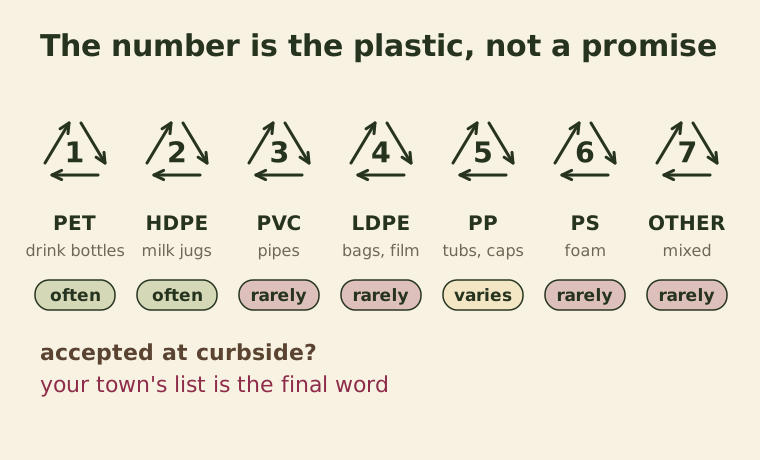
The triangle with a number doesn't mean an item is recyclable. Here's what each plastic code means, which ones are commonly accepted, and the other symbols to know.